Key takeaways
- Screen size: 55 inches diagonal — roughly 47.9 inches wide and 27 inches tall as a 16:9 panel
- Resolution: 4K (2160p), 3840 × 2160
- Panel type: QLED (quantum-dot enhanced LED backlight)
- Refresh class: 60Hz-class native
- HDR: high dynamic range playback supported; verify exact formats on the listing
- Smart platform: Roku OS built in, with the standard Roku home screen, universal search, and voice remote
- Connectivity: HDMI inputs plus wireless for streaming; confirm port count and version on the current listing
- Best seating distance: about 5.5 to 9 feet for mixed content
Best overall: the Hisense 55″ Class E6SR Series Hi-QLED 4K UHD Smart Roku TV. It is the best QLED TV for most rooms because it pairs a 4K QLED panel with Dolby Vision, a low-latency Game Mode Plus, and the Roku TV platform at a mid-range price — and 55 inches is the size that fits the widest range of seating distances, roughly 5.5 to 9 feet. If you sit farther back or want a bigger picture in a bright family room, the Hisense 65″ E6SR is the same formula scaled up. If budget drives everything, the Roku 50-Inch Select Series delivers QLED color and the same Roku interface for noticeably less, and it is the right pick for a bedroom, dorm, or apartment where the couch is close to the wall. If you are locked into Fire TV and Alexa, the INSIGNIA 65-inch QF Series is the large-screen answer. Everything below is matched to room brightness, seating distance, and how you actually watch.
Top 3 Picks
Best overall — Hisense 55″ Class E6SR Series Hi-QLED Roku TV. It is the most balanced set in this roundup: 4K QLED color, Dolby Vision support, Game Mode Plus for console play, and Roku’s clean, fast interface. It suits a typical living room with 5.5 to 9 feet of seating distance and mixed lighting, and it is the set most people should buy without overthinking it.
Best budget — Roku 50-Inch Select Series QLED TV. The 50-inch Select Series is the value leader for a real room rather than a novelty-size screen. QLED color, 4K resolution, and Roku’s built-in platform for a budget-tier price, at a size that still feels like a main TV in an apartment or bedroom.
Best premium — Hisense 65″ Class E6SR Series Hi-QLED Roku TV. The 65-inch E6SR is the best large-screen pick here for someone who wants Dolby Vision and gaming features without jumping to a flagship price class. At 6 to 10.5 feet of seating distance it fills a wall properly, and the same Roku platform means no learning curve.
Quick Comparison
| Product | Best for | Key specs | Price tier |
|---|---|---|---|
| Roku 55-Inch Select Series QLED (2026) | Roku-first households, mid-size living room | 55″ 4K (2160p) QLED, Roku OS built in, HDR playback, 60Hz-class panel | Mid-range |
| Roku 50-Inch Select Series QLED (2026) | Bedroom, apartment, second TV | 50″ 4K (2160p) QLED, Roku OS built in, HDR playback, 60Hz-class panel | Budget |
| INSIGNIA 65″ QF Series (NS65-UQFL26) | Large bright family room in a Fire TV home | 65″ 4K UHD QLED, Fire TV built in, Alexa Voice Remote, HDR playback | Premium |
| TOSHIBA 43″ M450 Series QLED | Guest room, office, casual secondary viewing | 43″ 4K UHD QLED, Fire TV built in, Alexa Voice Remote, live TV aggregation | Budget |
| INSIGNIA 55″ QF Series (NS55-UQFL26) | Mid-size all-rounder for Fire TV users | 55″ 4K UHD QLED, Fire TV built in, Alexa Voice Remote, HDR playback | Mid-range |
| Hisense 55″ E6SR Series Hi-QLED Roku TV | Best all-round value with Dolby Vision | 55″ 4K Hi-QLED, Dolby Vision, Game Mode Plus, Roku TV platform | Mid-range |
| Hisense 65″ E6SR Series Hi-QLED Roku TV | Large living room, movies and consoles | 65″ 4K Hi-QLED, Dolby Vision, Game Mode Plus, Roku TV platform | Premium |
| Hisense 32-Inch QD4SR Series Hi-QLED Roku TV | Desk, kitchen, dorm, tiny room | 32″ Hi-QLED, HD resolution class, Dolby Audio, Roku TV platform | Budget |
| Roku 65-Inch Select Series QLED (2026) | Big-screen Roku fans on a value budget | 65″ 4K (2160p) QLED, Roku OS built in, HDR playback, 60Hz-class panel | Premium |
The price tiers above are relative positions inside this roundup, not absolute statements about the wider market. A “premium” tier here means the largest or most feature-dense version of a value-focused family, not a flagship-tier set. Listings and promotional pricing move constantly, so treat the tiers as a way to rank these nine against each other rather than as fixed numbers.
How We Chose
This roundup is built from published product listings, brand documentation, and established category knowledge — not from lab measurement. Selection started with the panel itself: every set here is a QLED, meaning a quantum-dot film or layer over an LED backlight, which is the technology that gives these sets their higher color volume and stronger light output compared with a plain LED set at the same price. From there we weighed four things.
First, category fit: does the model do the one job it exists to do? A 32-inch set is judged on whether it works as a close-range, small-room display, not on whether it can anchor a home theater. Second, format and feature support that is actually named on the listing — Dolby Vision on the Hisense E6SR models, Game Mode Plus for console play, Fire TV or Roku TV as the built-in platform. Third, seating-distance and brightness fit, because the single most common mistake in TV buying is choosing a size that is wrong for the room rather than choosing the wrong set. Fourth, upgrade path: whether the set has a realistic way to improve later through a soundbar, a streaming device, or a wall mount without replacing the panel.
Where an exact figure was not stated on a listing, we describe the set by spec class — “60Hz-class panel,” “HDR playback,” “HD resolution class” — rather than inventing a number. That is deliberate. The goal is to help you shortlist the right two or three sets and then verify the specifics on the current product page.
1. Roku 55-Inch Select Series QLED TV — Best for Roku-First Households
As an Amazon Associate we earn from qualifying purchases at no extra cost to you.

The Roku 55-Inch Select Series is the set to buy when you already live inside Roku and want the television to disappear into that ecosystem. There is no streaming stick to plug in, no second remote to keep track of, and no setup wizard that asks you to create yet another account. You plug the TV in, sign into the Roku account you already have, and your apps, watchlist, and saved logins are simply there. For a household with several Roku devices in other rooms, that continuity is worth more than any single spec bump.
As a television, it is a 4K QLED panel at a mid-range price tier. QLED in this context means the backlight is paired with quantum-dot color enhancement, which is what pushes color brightness and saturation above what a standard LED set at the same price typically manages. In a normally lit living room, that shows up as punchier reds and greens in sports, animation, and nature content, and a picture that holds up better than a dimmer panel when afternoon sun hits the screen. It is a 60Hz-class panel, which is the honest framing: excellent for film, streaming series, broadcast, and casual console play, and not the right choice if you are chasing 120Hz high-frame-rate gaming.
Key specs at a glance
- Screen size: 55 inches diagonal — roughly 47.9 inches wide and 27 inches tall as a 16:9 panel
- Resolution: 4K (2160p), 3840 × 2160
- Panel type: QLED (quantum-dot enhanced LED backlight)
- Refresh class: 60Hz-class native
- HDR: high dynamic range playback supported; verify exact formats on the listing
- Smart platform: Roku OS built in, with the standard Roku home screen, universal search, and voice remote
- Connectivity: HDMI inputs plus wireless for streaming; confirm port count and version on the current listing
- Best seating distance: about 5.5 to 9 feet for mixed content
Strengths
The platform is the headline. Roku’s interface is the most neutral of the major smart systems — it does not aggressively push one studio’s content over another, search is genuinely cross-app, and the remote is simple enough that a guest can use it without a tutorial. The 55-inch size is the sweet spot of the entire TV market: large enough to feel cinematic at eight feet, small enough to fit above a standard console or on a mid-size wall without dominating the room. QLED color at a mid-range tier is the right combination for a room with windows, and the 4K panel means you are not giving anything up on resolution as 4K streaming becomes the default.
Pros
- Roku OS built in — no streaming stick, no duplicate remote, no second account
- QLED color and brightness at a mid-range price tier
- 55 inches fits the widest range of seating distances and furniture
- 4K resolution keeps the set relevant as streaming catalogs shift to higher bitrates
- Simple, low-friction interface that non-technical household members can operate
Cons
- 60Hz-class panel — not aimed at 120Hz console gaming
- Built-in speakers are typical TV-class, so a soundbar is a realistic addition
- Fewer advanced picture controls than enthusiast-focused sets
- Roku’s home screen carries promotional tiles, which some users find noisy
How it compares with the nearest alternative
The closest competitor in this list is the Hisense 55″ E6SR, which sits in the same mid-range tier and the same size class. The E6SR adds Dolby Vision and Game Mode Plus, which matters if you have a console or watch a lot of Dolby Vision titles on a supported service. The Roku 55″ Select Series wins on ecosystem simplicity: if every other screen in your house is a Roku, the Select Series is the one that requires zero adaptation. Choose the Roku for household consistency, and the Hisense E6SR if you want the extra format support at the same size.
2. Roku 50-Inch Select Series QLED TV — Best Budget QLED for a Bedroom or Apartment

The 50-inch Select Series is the best budget pick in this roundup because it is the smallest size that still behaves like a real television rather than a large monitor. At 50 inches it is roughly 43.6 inches wide and 24.5 inches tall, which means it fits comfortably on a standard six-foot media console and works in rooms where a 65-inch set would overwhelm the wall. For a bedroom, a studio apartment, a small den, or a first apartment, it is the size-to-price point where QLED stops being a luxury and starts being the sensible default.
It carries the same core formula as its larger sibling: a 4K QLED panel, Roku OS built in, and a 60Hz-class refresh. What you give up compared with the 55-inch version is screen area, not technology. That distinction matters, because a lot of budget-tier TVs cut the panel first — dropping to a standard LED backlight or a lower resolution — and this one does not. You are buying the same QLED color and the same 4K resolution, just in a smaller frame and at a lower tier.
Key specs at a glance
- Screen size: 50 inches diagonal — about 43.6 inches wide, 24.5 inches tall
- Resolution: 4K (2160p)
- Panel type: QLED
- Refresh class: 60Hz-class native
- HDR: high dynamic range playback supported; confirm formats on the listing
- Smart platform: Roku OS built in with voice remote
- Best seating distance: about 5 to 8 feet
- Typical use: bedroom, apartment living area, dorm, small den
Strengths
At five to eight feet, a 50-inch 4K panel is genuinely sharp — you are sitting close enough that the extra pixel density over a 1080p set is visible on detailed content, which is not true of a 50-inch screen viewed from twelve feet. That makes this the size where 4K earns its keep in a small room. QLED color holds up well against a bedside lamp or an unshaded window, and Roku’s platform means the set is fully functional the moment it is on the network, with no dongle hanging off the side. For the price tier, it is hard to find a cleaner combination of size, panel technology, and software.
Pros
- Lowest cost per usable inch among the 4K QLED sets here
- 50 inches is the practical minimum for a “main TV” feel in a small room
- Same Roku OS experience as the larger Select Series models
- Light enough for a single person to unbox and place on a stand
- Strong fit for bedrooms where a bigger screen would be uncomfortable at close range
Cons
- 60Hz-class panel, so no high-frame-rate gaming advantage
- At 10 feet or more, a 50-inch screen starts to feel small
- Speakers are basic; dialogue clarity improves significantly with even an entry soundbar
- Fewer HDMI inputs than larger sets in some configurations — check the listing
How it compares with the nearest alternative
The nearest alternative is the Roku 55-Inch Select Series, one tier up and five inches larger. If your seating distance is under seven feet, the 50-inch is the better buy — the extra five inches at close range buys you very little and costs more. If your couch sits eight to nine feet from the wall, the 55-inch is worth the step up, because at that distance the 50-inch begins to feel like a compromise. The other comparison worth making is against the TOSHIBA 43″ M450: same budget tier, five inches smaller, and running Fire TV rather than Roku. Choose the Roku 50 for the larger picture and the Roku platform; choose the Toshiba 43 if the space is genuinely tight or you are a Fire TV household.
3. INSIGNIA 65-Inch QF Series QLED Fire TV (NS65-UQFL26) — Best Large-Screen Fire TV for a Bright Family Room

The INSIGNIA 65-inch QF Series is the large-screen answer for households already committed to Fire TV and Alexa. At 65 inches it is roughly 56.7 inches wide and 31.9 inches tall, which is the size where a living room starts to feel like a room with a cinema in it rather than a room with a television in it. The QF Series designation and the QLED panel mean you are getting quantum-dot color at a size where color volume actually matters — on a 65-inch screen, a panel that cannot hold saturation under room light looks noticeably washed out across a much larger area than it would at 43 inches.
The practical argument for this set is ecosystem. Fire TV is built in, the Alexa Voice Remote is included, and if you already use Alexa for lights, thermostats, or a video doorbell, the TV becomes another voice endpoint rather than a separate island. Fire TV’s live TV aggregation — pulling together over-the-air, streaming live channels, and app-based live content into one guide — is one of the more useful features in the category for cord-cutters, and it is the kind of thing that is genuinely annoying to replicate with a streaming stick bolted onto a non-Fire TV.
Key specs at a glance
- Screen size: 65 inches diagonal — approximately 56.7 inches wide, 31.9 inches tall
- Resolution: 4K UHD
- Panel type: QLED with LED backlight
- Smart platform: Fire TV built in
- Remote: Alexa Voice Remote included
- HDR: high dynamic range playback; confirm supported formats on the listing
- Refresh class: 60Hz-class native
- Best seating distance: about 6 to 10.5 feet for mixed content
Strengths
Size and price tier together are the story. A 65-inch QLED at this tier is the point where big-screen viewing becomes attainable without a flagship budget, and the panel is bright enough to survive a family room with a west-facing window. Fire TV’s app library is comprehensive, the voice remote handles search across apps reasonably well, and Alexa integration means you can turn the set on, change inputs, or launch an app by voice without hunting for the remote. For a household with multiple Alexa devices, the friction of daily use is genuinely lower here than on a platform that does not tie into the home’s voice assistant.
Pros
- 65 inches at a tier below flagship large-screen pricing
- QLED color holds up better than standard LED in a bright room
- Fire TV built in with Alexa Voice Remote — no streaming device required
- Live TV aggregation is useful for cord-cutters
- Deep Alexa integration for smart-home households
Cons
- Fire TV’s home screen leans heavily on promoted content
- 60Hz-class panel — not a 120Hz gaming set
- Built-in audio is adequate rather than impressive at this size
- Requires an Amazon account for full functionality, which is a real consideration for some buyers
How it compares with the nearest alternative
The direct alternative is the Hisense 65″ E6SR, the other 65-inch set here at a premium tier. Both are 4K QLED at the same size; the differences are platform and format support. The Hisense runs Roku TV and names Dolby Vision and Game Mode Plus on the listing, which matters if you watch Dolby Vision content or play on a console. The INSIGNIA wins if Fire TV and Alexa are non-negotiable for your household, or if you prefer the Fire TV live guide for cord-cutting. Neither is a mistake — this is a platform decision more than a picture decision.
4. TOSHIBA 43″ M450 Series QLED Fire TV — Best Budget QLED for a Guest Room or Office

The TOSHIBA 43-inch M450 Series is the set that makes sense when the room is small and the requirement is simply “a good television that fits.” At 43 inches it is about 37.5 inches wide and 21.1 inches tall, which fits on a narrow dresser, a bookshelf-adjacent stand, or a desk-adjacent wall without eating the room. It is a 4K UHD QLED panel running Fire TV, with the Alexa Voice Remote included and live TV streaming built into the platform’s guide.
The interesting thing about this size class is that 4K at 43 inches is often dismissed as pointless. That dismissal is only correct at long distances. At four to seven feet — which is exactly how far you sit from a 43-inch screen in a guest room, home office, or small den — a 4K panel is meaningfully sharper than a 1080p one, especially on text-heavy interfaces, sports graphics, and detailed game worlds. The QLED layer adds color volume that makes the set look considerably less “budget” than its price tier suggests.
Key specs at a glance
- Screen size: 43 inches diagonal — roughly 37.5 inches wide, 21.1 inches tall
- Resolution: 4K UHD
- Panel type: QLED
- Smart platform: Fire TV built in
- Remote: voice remote with Alexa
- Live TV: streams live TV without a cable box through the platform’s guide
- Refresh class: 60Hz-class native
- Best seating distance: about 4 to 7 feet
Strengths
This is the most space-efficient set in the roundup that still delivers 4K and QLED together. It is light enough to mount on a single stud with a modest bracket, small enough to move between rooms seasonally, and cheap enough at its tier that buying two for a guest room and an office is a realistic plan. Fire TV means the same interface and the same app logins across both, and the live TV guide means a guest can find broadcast channels without a cable subscription. For a rental property, a dorm, or a spare room, that combination is close to ideal.
Pros
- 4K QLED at a budget tier — unusual combination at this size
- Compact enough for a dresser, desk, or small wall
- Fire TV and Alexa voice control built in
- Live TV aggregation without a cable box
- Low risk as a second or third television purchase
Cons
- 43 inches feels small past about eight feet
- 60Hz-class panel with no high-refresh gaming features
- Small built-in speakers suit a bedroom better than a large room
- Fire TV’s promotional home screen is present here too
How it compares with the nearest alternative
Two alternatives are worth weighing. Against the Roku 50-Inch Select Series, the Toshiba is smaller and slightly cheaper at its tier but runs Fire TV instead of Roku — if you want the bigger picture in a small room, the Roku 50 wins; if you want the smaller footprint and Alexa, the Toshiba wins. Against the Hisense 32-Inch QD4SR, the Toshiba is the better set for anything resembling regular viewing, because the Hisense 32 is an HD-class panel rather than 4K. The 32-inch Hisense is a desk and kitchen screen; the 43-inch Toshiba is a small-room television.
5. INSIGNIA 55-Inch QF Series QLED Fire TV (NS55-UQFL26) — Best Mid-Size Fire TV All-Rounder

The INSIGNIA 55-inch QF Series is the middle of the Fire TV range in this list and arguably the most broadly useful set in it for Amazon-centric households. It is the same size class as the Hisense 55″ E6SR and the Roku 55″ Select Series — the size that fits the most rooms — but with Fire TV as the built-in platform. That makes it the natural pick for someone whose smart home, music, shopping, and photo library already live in the Amazon ecosystem.
At 55 inches the panel measures roughly 47.9 inches wide and 27 inches tall, which fits a standard media console and works above a fireplace or on a wall without dominating. The QLED panel gives it the color volume and light output that the QF Series name implies, and the Alexa Voice Remote means search, input switching, and app launching are handled by voice. For a living room that gets daylight, the combination of QLED brightness and a mid-size panel is a practical sweet spot — you get a picture that stays visible in the afternoon without paying for a size that overwhelms the space.
Key specs at a glance
- Screen size: 55 inches diagonal — approximately 47.9 inches wide, 27 inches tall
- Resolution: 4K UHD
- Panel type: QLED with LED backlight
- Smart platform: Fire TV built in
- Remote: Alexa Voice Remote included
- HDR: high dynamic range playback; verify supported formats on the listing
- Refresh class: 60Hz-class native
- Best seating distance: about 5.5 to 9 feet
Strengths
The value proposition here is platform depth at a mainstream size. Fire TV’s app selection is as complete as any platform’s, its voice search works across apps, and its live guide is genuinely useful if you have dropped cable but still want a channel-style experience. The QLED panel means you are not sacrificing picture quality for the software — this is a set that looks good in a bright room and stays legible in dark scenes. It is also a straightforward wall-mount candidate, and at 55 inches it is large enough that a modest soundbar makes a bigger difference than it would on a smaller screen.
Pros
- Mainstream 55-inch size that fits most living rooms
- QLED panel with good brightness for daytime viewing
- Fire TV and Alexa Voice Remote built in
- Strong app coverage and useful live TV guide
- Straightforward upgrade path — a soundbar transforms the experience
Cons
- 60Hz-class refresh rather than a gaming-focused panel
- Fire TV interface emphasizes promoted content
- Picture processing is competent rather than exceptional at this tier
- Requires an Amazon account to use the full feature set
How it compares with the nearest alternative
The obvious head-to-head is with the Hisense 55″ E6SR, the same size at the same mid-range tier. The Hisense names Dolby Vision and Game Mode Plus on its listing, which is a real advantage for movie night and console play. The INSIGNIA counters with Fire TV and Alexa, plus a live TV guide that Roku’s platform does not match in the same way. If you are platform-neutral, the Hisense has the edge on format support. If your home runs on Alexa, the INSIGNIA 55 is the one you will actually enjoy using every day.
6. Hisense 55″ E6SR Series Hi-QLED Roku TV — Best Overall QLED for Most Rooms

This is the best QLED TV in the roundup for the largest number of people, and the reason is a combination rather than a single spec. The 55-inch E6SR is a 4K Hi-QLED panel with Dolby Vision support, a Game Mode Plus low-latency mode, and the Roku TV platform built in. Dolby Vision is the format that matters most for streaming movie and series libraries, because it carries dynamic metadata that adjusts the picture scene by scene — on a panel with strong light output, that translates into highlights that pop without crushing shadow detail. Game Mode Plus is the console-friendly side: reduced input lag and support for the gaming features that matter on a 60Hz-class panel, so a PlayStation or Xbox feels responsive rather than sluggish.
Size-wise, 55 inches is the practical center of the television market. At roughly 47.9 inches wide and 27 inches tall, it fits a standard console, works on a wall in a mid-size room, and pairs with a seating distance of about 5.5 to 9 feet — which is where most living room couches actually sit. That combination of a size that fits, a panel that handles daylight, Dolby Vision for movie nights, and Roku for daily use is why this set is the default recommendation here.
Key specs at a glance
- Screen size: 55 inches diagonal — about 47.9 inches wide, 27 inches tall
- Resolution: 4K UHD (3840 × 2160)
- Panel type: Hi-QLED (quantum-dot enhanced LED)
- HDR: Dolby Vision support named on the listing, plus baseline HDR playback
- Gaming: Game Mode Plus for reduced input lag
- Smart platform: Roku TV built in, with voice remote and universal search
- Refresh class: 60Hz-class native
- Best seating distance: about 5.5 to 9 feet
Strengths
Dolby Vision at a mid-range tier is the standout. On a QLED panel with decent light output, Dolby Vision content from major streaming services looks noticeably better than the same content in baseline HDR — brighter specular highlights, better shadow retention, and more natural skin tones in mixed lighting. Game Mode Plus makes the set viable for a console in a living room rather than relegating gaming to a desk monitor. And the Roku TV platform keeps daily use frictionless: fast app switching, a clean guide, and a remote that does not require explanation. The 55-inch size is the least risky size to buy sight-unseen because it fits almost every room.
Pros
- Dolby Vision support at a mid-range price tier
- Game Mode Plus for console play with reduced input lag
- Roku TV platform with universal search and voice remote
- 55 inches fits the widest range of seating distances
- Hi-QLED color volume holds up in daylight rooms
Cons
- 60Hz-class panel rather than 120Hz
- Built-in speakers are adequate but a soundbar is a sensible add-on
- Peak brightness is good for the tier, not flagship-level
- Advanced calibration controls are limited compared with enthusiast sets
How it compares with the nearest alternative
The nearest alternative is the Roku 55-Inch Select Series, same size and same tier. The Hisense adds Dolby Vision and Game Mode Plus, which the Roku listing does not name — so if you watch Dolby Vision titles or play console games, the Hisense is the better set at the same size. The Roku counters with ecosystem consistency: if every other screen in your house is a Roku, the Select Series requires no adaptation. If you are starting fresh or platform-neutral, the Hisense 55 E6SR is the stronger buy. Against the 65-inch E6SR, this one wins only when your seating distance is under about nine feet.
7. Hisense 65″ E6SR Series Hi-QLED Roku TV — Best Premium Large-Screen Value
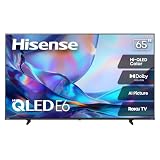
The 65-inch E6SR takes everything that makes the 55-inch version the best overall pick and scales it up to a size that turns a living room into a viewing room. At roughly 56.7 inches wide and 31.9 inches tall, it is a substantial piece of furniture — you should measure your wall and your console before ordering, because 65 inches is the size where “it will probably fit” stops being good enough. In return, at a 6-to-10.5-foot seating distance, the picture fills your field of view in a way a 55-inch set simply does not.
It carries the same Hi-QLED panel, the same Dolby Vision support, the same Game Mode Plus, and the same Roku TV platform as its smaller sibling. The premium tier reflects size and the associated cost, not a different panel generation. That is worth understanding before you buy: if you are choosing between this and the 55-inch model, you are choosing a viewing distance, not a feature set.
Key specs at a glance
- Screen size: 65 inches diagonal — approximately 56.7 inches wide, 31.9 inches tall
- Resolution: 4K UHD
- Panel type: Hi-QLED
- HDR: Dolby Vision support named on the listing
- Gaming: Game Mode Plus for reduced input lag
- Smart platform: Roku TV built in
- Refresh class: 60Hz-class native
- Best seating distance: about 6 to 10.5 feet
- Mounting: verify the VESA pattern and weight on the listing before buying a bracket
Strengths
Dolby Vision on a 65-inch screen is a different experience than on a 55-inch one, because the highlights occupy more of your visual field and the immersion is stronger. QLED brightness matters more at this size too — a large panel that cannot hold color under room light looks worse than a small one with the same limitation, simply because there is more screen to notice. Game Mode Plus keeps console play responsive, and Roku’s platform means the set is fully usable without extra hardware. For a household that watches movies and series as its main entertainment, this is the best value large-screen QLED in the roundup.
Pros
- 65 inches with Dolby Vision at a tier below flagship pricing
- Hi-QLED color and brightness suited to a daylight living room
- Game Mode Plus for consoles
- Roku TV platform with clean, fast navigation
- Same interface as the 55-inch model — no learning curve if you own both
Cons
- Requires a genuinely large wall and 6+ feet of seating distance to make sense
- 60Hz-class panel rather than 120Hz
- Heavier than the smaller models — a two-person lift for mounting
- Built-in sound is outmatched by the screen size; a soundbar is close to mandatory
How it compares with the nearest alternative
Two comparisons matter. Against the Hisense 55″ E6SR, this is a distance decision: under nine feet, the 55-inch is the better buy because the extra ten inches will feel overwhelming and you will not gain visible detail. Over nine feet, the 65-inch is clearly better. Against the Roku 65-Inch Select Series — the other 65-inch set here — the Hisense wins on named features: Dolby Vision and Game Mode Plus versus a Roku listing that does not name them. The Roku 65 wins only if ecosystem uniformity matters more to you than format support.
8. Hisense 32-Inch QD4SR Series Hi-QLED Roku TV — Best Small-Screen QLED for a Desk or Kitchen

The Hisense 32-inch QD4SR is the small-space specialist of this roundup, and the most important thing to understand about it is stated in its own listing: it is an HD-resolution set, not a 4K one. That is not a flaw — it is the point. At 32 inches, you sit close, and at close range an HD panel looks perfectly sharp. What you get instead is Hi-QLED color and Dolby Audio in a frame that measures roughly 27.9 inches wide and 15.7 inches tall, small enough for a kitchen counter, a desk, a dorm shelf, or the end of a countertop where a 43-inch set would not fit.
It runs the Roku TV platform, which is the right choice for a small screen. Roku’s interface is legible at a distance and at close range, the remote is simple, and the platform does not assume you have a soundbar or a receiver. Dolby Audio support means the built-in speakers are tuned with a recognized processing standard rather than being an afterthought, which matters more on a small set where you are unlikely to add external audio.
Key specs at a glance
- Screen size: 32 inches diagonal — about 27.9 inches wide, 15.7 inches tall
- Resolution: HD resolution class (not 4K — verify the exact figure on the listing)
- Panel type: Hi-QLED
- Audio: Dolby Audio support
- Smart platform: Roku TV built in
- Best seating distance: roughly 4 to 5.5 feet for HD content
- Typical placement: desk, kitchen, dorm, small bedroom, RV
Strengths
The value here is that QLED color has been applied to a small panel rather than reserved for large ones. Small budget TVs are usually the dimmest, least colorful sets in a lineup; this one is not, which makes it noticeably more pleasant for kitchen viewing in daylight or a desk setup with a lamp on. The size is genuinely useful in places a 43-inch set cannot go, and Roku TV means the same apps and the same interface you already know. For a second or third screen that needs to be small and cheap rather than large and impressive, it is the right tool.
Pros
- Hi-QLED color on a small panel, which is uncommon at this tier
- Fits counters, desks, and shelves where larger sets cannot
- Dolby Audio processing for the built-in speakers
- Roku TV platform with full app coverage
- Very low risk as a secondary screen purchase
Cons
- HD resolution class rather than 4K — do not buy it expecting 4K detail
- Too small for a living room past about six feet
- Limited picture adjustment options at this tier
- Not a gaming-focused set
How it compares with the nearest alternative
The nearest alternative is the TOSHIBA 43″ M450, the other budget-tier small set here. The Toshiba is 4K and eleven inches larger, which makes it the better television for a room where you sit more than five feet away. The Hisense 32 wins on footprint and placement flexibility — it goes where the 43-inch cannot, and at desk distance its HD panel is not a meaningful downgrade. Choose the 32 for a kitchen counter, a monitor-adjacent desk, or a dorm; choose the 43 for a guest room or small den.
9. Roku 65-Inch Select Series QLED TV — Best Big-Screen Roku on a Value Budget

The Roku 65-Inch Select Series is the large-screen option for households that want Roku everywhere and do not want to pay flagship prices for it. At roughly 56.7 inches wide and 31.9 inches tall, it is the same physical size as the Hisense 65″ E6SR, and it delivers that size with a 4K QLED panel and Roku OS built in. If you have Roku streaming devices in three other rooms, this is the set that keeps the whole house on one interface, one account, and one remote philosophy.
The premium tier here reflects size rather than a jump in panel technology. It is a 60Hz-class QLED panel with 4K resolution and HDR playback, and its strengths are the same as the smaller Select Series models: fast navigation, neutral search that works across apps, and a setup process that takes minutes rather than an evening. For a large room where the priority is a big, colorful picture and a familiar interface rather than bleeding-edge gaming features, it is a sensible buy.
Key specs at a glance
- Screen size: 65 inches diagonal — approximately 56.7 inches wide, 31.9 inches tall
- Resolution: 4K (2160p)
- Panel type: QLED
- Refresh class: 60Hz-class native
- HDR: high dynamic range playback supported; verify formats on the listing
- Smart platform: Roku OS built in with voice remote
- Best seating distance: about 6 to 10.5 feet
- Mounting: confirm VESA pattern and weight on the listing before choosing a bracket
Strengths
The pitch is simplicity at scale. A 65-inch QLED running Roku is a set that anyone in the household can operate, and because the interface is identical across the Select Series line, moving between rooms requires no adjustment. Roku’s universal search is still the most straightforward cross-app search in the category — you type a title once and it tells you which services have it. For a big-screen purchase where the buyer’s real priority is “make it easy,” that is worth more than a marginally better HDR format.
Pros
- 65-inch 4K QLED at a tier below flagship large-screen pricing
- Roku OS built in — no dongle, no second remote
- Interface consistency with other Roku TVs in the house
- Strong universal search across streaming apps
- Simple setup that non-technical users can complete alone
Cons
- 60Hz-class panel rather than 120Hz
- No Dolby Vision named on the listing, unlike the Hisense E6SR models
- Built-in speakers are basic for a screen this size
- Fewer advanced picture controls than enthusiast-oriented sets
How it compares with the nearest alternative
The nearest alternative is the Hisense 65″ E6SR, the same size and tier. On paper the Hisense has the edge because its listing names Dolby Vision and Game Mode Plus, and those are real advantages for movie nights and console sessions. The Roku 65 counters with ecosystem consistency and the interface most people in a mixed household already know. If you are buying this as the fourth Roku screen in a house that runs on Roku, the Select Series is the friction-free choice. If it is your only television and you want the most format support for the money, the Hisense 65 E6SR is the stronger pick.
How to Choose
Choosing a QLED TV comes down to four variables, and only one of them is the television itself: how far you sit, how bright the room is, what you watch and play, and which smart platform your household already uses. Get those four right and almost any set in this roundup will satisfy you. Get the seating distance wrong and even a great panel will disappoint.
Start with distance, then pick the size
The most common TV buying mistake is choosing a size by what looks impressive in a store rather than by how far the couch sits from the wall. The math is straightforward. A 16:9 screen’s height is roughly 49 percent of its diagonal measurement, and comfortable viewing distances scale off that height. For 4K content, you need to sit at about 1.0 to 1.5 times the screen height to see the full detail advantage; for mixed content — streaming, broadcast, and older material — a range of 1.5 to 2.5 times the height is more comfortable and less fatiguing.
| Screen size | Panel height (16:9) | Closest seat to see full 4K detail | Comfortable mixed-content range |
|---|---|---|---|
| 32 inches (HD class) | ~15.7 in | Not applicable at HD resolution | 4.0 – 5.5 ft |
| 43 inches | ~21.1 in | ~2.6 ft | 4.0 – 7.0 ft |
| 50 inches | ~24.5 in | ~3.1 ft | 5.0 – 8.0 ft |
| 55 inches | ~27.0 in | ~3.4 ft | 5.5 – 9.0 ft |
| 65 inches | ~31.9 in | ~4.0 ft | 6.0 – 10.5 ft |
Read the table from the right column. If your couch is seven feet from the wall, a 50-inch set is the honest answer and a 55-inch is a reasonable stretch; a 65-inch will feel like sitting in the front row of a cinema. If your couch is ten feet back, a 55-inch will feel small within a month and a 65-inch is the correct choice. The “closest seat” column is the theoretical limit where 4K’s extra pixels become individually distinguishable — almost nobody sits that close, which is why the comfortable range matters more.
Match the panel to the room’s light
QLED’s real advantage over standard LED is light output and color volume. In a bright room — south- or west-facing windows, no blinds, daytime viewing — that advantage is the whole reason to pay for QLED, because a dimmer panel washes out and loses saturation under reflected light. In a dark, controlled room, the calculus flips: contrast and black level matter more than peak brightness, and a QLED with a basic backlight may show more visible light bleed around bright objects on dark backgrounds than you would like. If your room is dark and you watch mostly at night, look for a set with a full-array or locally dimmed backlight rather than an edge-lit design; if your room is bright, prioritize brightness and anti-reflective treatment.
Room brightness also determines whether you should care about Dolby Vision. Dolby Vision’s dynamic, scene-by-scene metadata is most visible on a panel with enough headroom to render bright highlights and deep shadows in the same frame. On a bright QLED, that difference is real and easy to see; on a dim panel, it is largely theoretical. This is why the Dolby Vision support named on the Hisense E6SR models is worth more than it might appear on a spec sheet.
Decide how much refresh rate and gaming features you need
Refresh rate is where a lot of buyers overspend or underspend. A 60Hz-class panel refreshes 60 times per second, which is fine for film, series, broadcast, and most console games. A 120Hz panel doubles that and pairs with variable refresh rate and auto low-latency mode to smooth out frame pacing in games that support it. If you own a current-generation console and play competitive multiplayer titles, 120Hz and VRR are worth prioritizing. If you play casually, stream everything, and rarely touch a controller, a 60Hz-class panel like the ones in this roundup will not feel like a limitation — and you will save money that is better spent on size.
Two other gaming specs matter more than people expect. Input lag is the delay between a button press and the on-screen result; a “game mode” reduces it by bypassing picture processing, which is why Game Mode Plus on the Hisense E6SR models is a genuine feature rather than marketing language. Auto low-latency mode does the same thing automatically when it detects a console. Both are more noticeable in practice than a modest refresh-rate difference for most casual players.
Plan the audio before you buy the TV
Every set in this roundup has built-in speakers that are adequate for news, sitcoms, and background viewing, and underwhelming for films with wide dynamic range. The physics does not change with price tier: thin televisions have small drivers and shallow cabinets, and dialogue clarity suffers most. The practical rule is to budget for a soundbar in any room larger than a bedroom, and to check that the set has an audio return channel or eARC-capable HDMI port so a single cable can carry sound back from the TV to the bar. If you are choosing between spending more on the panel or more on the sound, spend on the panel first — audio can be added later, panel size and type cannot.
Pick the smart platform your household already uses
This is the most underrated decision in TV buying and the one most likely to cause daily irritation. Roku TV and Fire TV are both mature, both have complete app libraries, and both have voice remotes. They differ in feel. Roku’s interface is neutral and search-first, with a home screen that mixes your apps with a moderate amount of promoted content. Fire TV leans harder into recommendations and integration with Amazon’s ecosystem, and its live TV guide is a genuine advantage for cord-cutters who want a channel-style experience without a cable box. If your home is built around Alexa, Fire TV removes friction; if it is