Key takeaways
- Kindle Paperwhite vs Kobo Clara BW compared on store, file formats, library borrowing, screen size and ecosystem, with a decision checklist for choosing one.
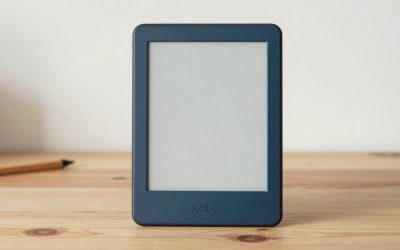
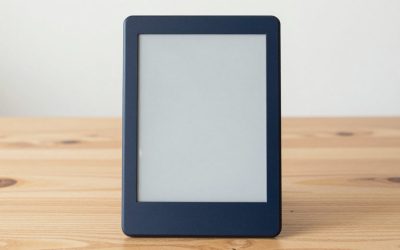
The short answer is that the Kindle Paperwhite is usually the easier pick if you buy most of your books from Amazon, and the Kobo Clara BW is usually the better fit if you read EPUB files, borrow library books or want to avoid Amazon’s ecosystem. Both are slim, glare-free E Ink readers with built-in lighting, so the main difference is the store and software around the hardware. Specifications change between releases, so verify current details before buying. The sections below compare screen, formats, borrowing and everyday handling, then finish with a short checklist you can run against your own reading habits.
Short verdict
Pick the Paperwhite if you already have a Kindle library, use Amazon’s Whispersync and Goodreads features, or want audiobook playback over Bluetooth on supported models. Pick the Clara BW if you prefer an open file format, a more compact body or a store that is not tied to Amazon. Neither choice is wrong for general reading. Because both are marketed as black-and-white devices, neither adds color, which also keeps battery use low.
Side-by-side comparison
| Feature | Kindle Paperwhite | Kobo Clara BW |
|---|---|---|
| Screen size | Typically a larger screen in the high-6-inch range | Typically a 6-inch screen |
| Screen type | Glare-free E Ink with adjustable light | Glare-free E Ink with adjustable light |
| Main store | Kindle store | Kobo store |
| EPUB files | Support has been added through Amazon’s send service; check current rules | Native support |
| Library borrowing | Usually via Libby in supported regions | Often built in for supported libraries |
| Water resistance | Marketed as water resistant; check the rating | Marketed as water resistant; check the rating |
| Charging | USB-C | USB-C |
| Audiobooks | Audible over Bluetooth on supported models | Varies by region and model |
Treat the table as general guidance, since screen sizes, storage options, warm-light features and ratings differ across generations. Always check current specifications on the listing.
Reading experience and screen
Both readers use E Ink panels with a front light, which means you can read in sunlight without glare and at night without a separate lamp. Sharpness on current models of both is generally high enough that text looks printed rather than pixelated. The practical difference is size. A larger screen like the Paperwhite’s shows more words per page, which helps with long paragraphs and small-print reference books, while a 6-inch screen like the Clara’s is lighter and slips into a smaller bag or coat pocket.
Check whether each model offers an adjustable warm light, which shifts the glow toward amber for evening reading, because this feature has varied by model and generation. Also look at page-turn method. If you prefer physical page-turn buttons, note that most mid-range readers rely on touch and swipes instead.
Stores, formats and ecosystem
This is where the two diverge most. The Paperwhite connects to the Kindle store, supports features like syncing your place across devices and the Kindle app, and works best when your purchases are already in that account. Kindle books use Amazon’s own formats, so moving a purchased title to another brand’s reader is generally not possible.
The Kobo works with the Kobo store and reads EPUB files directly, which is the standard format for many independent bookstores, public domain libraries and non-Amazon retailers. That flexibility matters if you own EPUB files or want to buy from several shops. Kobo also supports other formats such as PDF and some comic archive types, but how well each displays depends on the screen size. Large PDFs are usually easier to read on bigger screens.
Library borrowing and subscriptions
If you borrow ebooks from a public library, check how each device handles it in your region. Kobo devices in supported countries often have a built-in borrowing integration, so you can browse and borrow on the device itself. On Kindle in the United States, library books are commonly borrowed through the library’s Libby app and sent to the device, and some libraries have different rules by region. Subscription services like Kindle Unlimited work on Kindle, while Kobo has its own subscription option in some countries. Confirm what is offered where you live.
Battery, storage and everyday handling
E Ink readers sip power because the screen only draws energy when the page changes. Both devices are commonly described as lasting weeks on a charge with moderate daily reading, although real results depend on light brightness, wireless use and how often you turn pages. Turning the light down and switching off wireless between downloads usually stretches the battery noticeably.
Storage matters less for text than for audiobooks, comics and large PDFs. Plain ebooks are small, so even modest capacity holds thousands, but audiobooks can take hundreds of megabytes each. Look at the capacity of the exact model on the listing. For handling, think about weight and grip: a lighter 6-inch body is easy to hold one-handed in bed, while a larger body can feel more stable on a desk or train table. A case or sleeve is worth considering for either.
Use-case picks
- Heavy Amazon buyer: The Paperwhite keeps your purchases, highlights and sync in one place.
- Library borrower: The Clara BW is often more direct, but check your library’s supported method.
- EPUB collector: The Clara BW reads the format natively, which avoids converting files.
- Audiobook listener: Look for Bluetooth and a matching audiobook store on whichever model you choose.
- Travel or small-bag reader: The smaller screen of the Clara BW is easier to carry.
- Textbook or PDF reader: A larger screen is usually more comfortable, though neither is ideal for complex layouts.
Worked example: a quick decision count
Suppose you read about 30 books a year. Imagine 20 come from the library, 6 from Amazon purchases and 4 are free EPUB downloads. Under those assumptions, the Kobo handles the library and EPUB books directly, which is 24 of the 30, while the Amazon purchases would need to be bought from Kobo or read in another app. Flip the numbers, with 24 purchases from Amazon, and the Paperwhite wins by the same reasoning. Count your own split before looking at specifications, because the ecosystem decision tends to outweigh small hardware differences.
What to check before buying
- Which store holds most of your books today.
- Whether your library supports delivery to the device.
- Screen size and weight on the current model, not a past version.
- Storage capacity, if you plan to keep many files or audiobooks.
- Water resistance rating and whether you will read in the bath or by the pool.
- Lock-screen advertising options on the Kindle, which vary by listing and may add or remove cost.
- Warm-light support, charging port and warranty terms.
Also read the return policy, since a few days with the device is the best way to decide. During that trial, load a sample from your usual source, borrow one library title if you can, and read for an hour in your normal lighting. If the experience feels smooth with your own books, that matters more than any specification line.
Related guides
- How To Store Books To Prevent Yellowing And Mold
- Book Stands For Hands-Free Reading
- Reading Glasses For Night Reading
Frequently asked questions
Is the Kindle Paperwhite or Kobo Clara BW better for reading?
Both use sharp E Ink screens designed for long reading sessions, so the reading experience itself is similar. The better choice depends on where your books come from. The Paperwhite fits best with the Kindle store and Amazon account, while the Clara BW suits readers who use EPUB files, library apps or the Kobo store. Check current specifications for screen size, lighting and storage before deciding.
Can a Kindle read EPUB files?
Historically Kindles did not open EPUB files directly, so people converted them or used Amazon’s send-to-Kindle service. Amazon has been adding EPUB support through that service, but the exact behavior can change. Kobo e-readers open EPUB natively without conversion. If your library is mostly EPUB, check the current Kindle documentation or favor the Kobo.
Can you borrow library books on both devices?
In many regions, yes. Kobo devices commonly include direct integration with a library borrowing service in supported countries, while Kindle borrowing in the United States typically goes through the Libby app and delivery to a Kindle. Availability depends on your region and library, so check that your local library supports the method before buying either device.
Are the Kindle Paperwhite and Kobo Clara BW waterproof?
Both are marketed with water resistance suitable for accidental splashes or brief submersion, but ratings and conditions can differ by model generation. Water resistance is not meant for long soaks, saltwater or hot tubs, and ports should be dry before charging. Review the manufacturer documentation for the exact rating and care limits for the model you are buying.
Which e-reader is better for audiobooks?
Kindle devices have typically supported Audible audiobooks over Bluetooth for models with that feature, so they suit people already in the Audible ecosystem. Kobo has its own audiobook store on some devices and regions. Because features vary by model and country, check the product page for Bluetooth and audiobook support if listening matters to you.