Key takeaways
- Pump-out is the enemy. Cheap, very soft pads lose material over time as the card heat-cycles. Expect 3–5 years from a good pad, less from a no-name one.
- Reuse is a false economy. Once compressed, a pad does not return to its original thickness reliably — replace, do not reinstall.
- Mixing thicknesses is fine; mixing mistakes are not. It is normal to use 1.0 mm on memory and 2.0 mm on VRM in the same card. It is not normal for a single pad to sit partly on the die and partly on memory.
- Do not forget the GPU die itself. The die gets paste, not a pad. Pads are for memory, VRM, and any auxiliary components the original design covered.
- Cleaning matters. Remove old pad residue with isopropyl alcohol and a lint-free swab before installing new pads; leftover oily film adds resistance.
- Test before you close up. Power on with the card outside the case if possible, and check memory junction temperatures with a monitoring utility before reinstalling the cooler fully.
Best Thermal Pads for Graphics Cards and GPUs: Matching Thickness, Conductivity, and Size to Your Card
The best thermal pad for graphics cards and GPUs is one matched to the exact gap it must fill: usually a 1.0 mm or 1.5 mm pad for GPU memory (VRAM), and 1.5–2.0 mm for VRM and power stages, with thermal conductivity in the 6–12 W/mK range being plenty for most repads. Buying a thicker or more conductive pad than the gap requires is the single most common mistake — it adds thermal resistance instead of removing it, and can bend or crack the PCB when the cooler is tightened down.
If you only want the short version: for a GTX 10-series through RTX 30-series card, a 1.5 mm pad at roughly 12 W/mK (Gelid GP-Extreme or Thermalright Extreme Odyssey class) covers both VRAM and VRM on most layouts. For RTX 40-series and newer, most VRAM arrays sit around 1.0 mm, so buy 1.0 mm and stack only if you measure a gap.
Our top picks
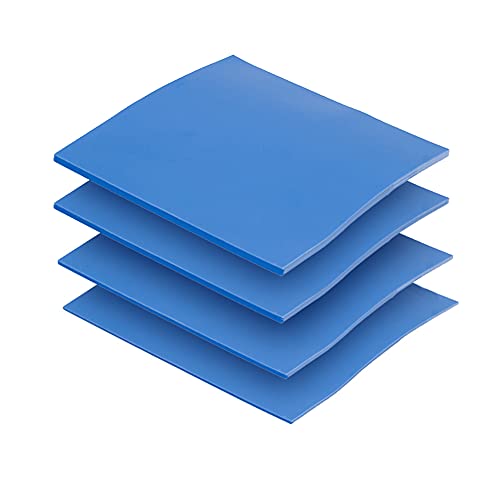
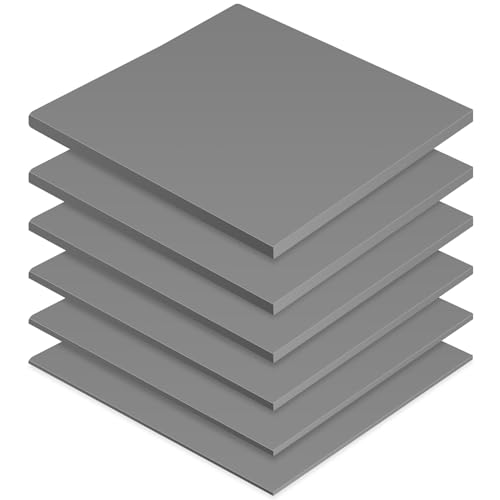


As an Amazon Associate we earn from qualifying purchases at no extra cost to you.
Quick Comparison: Thermal Pad Picks by Situation
| Pick | Best for | Key specs | Typical price |
|---|---|---|---|
| Thermal Grizzly Minus Pad 8 | Best overall for VRAM and VRM on high-end cards | 8 W/mK, 100 × 100 mm sheets, 0.5–3.0 mm, ~530 kPa compression | $12–$20 per sheet |
| Gelid GP-Extreme | Best performance-per-dollar | 12 W/mK, 80 × 40 mm strips and 90 × 50 mm sheets, 0.5–3.0 mm | $10–$18 |
| Thermalright Extreme Odyssey | Best for thick VRM gaps and multiple cards | 12.8 W/mK, 85 × 45 mm, 0.5–2.5 mm, firm compression | $9–$16 |
| Arctic TP-3 | Best budget / entry repad | 6 W/mK, 145 × 145 mm sheets, 0.5–2.0 mm | $7–$12 |
| Fujipoly Extreme / Sarcon class | Best for thin, low-gap notebooks and ITX cards | 11–17 W/mK, sold in custom lengths and 0.3–1.0 mm | $15–$30 |
| Fujipoly / Laird non-conductive sheets | Best for founders-edition tight tolerances | 5–12 W/mK, 100 × 100 mm, 0.5–2.0 mm | $14–$25 |
Prices are general market ranges and vary by sheet size and thickness. Two 1.0 mm sheets typically cover a full RTX 4080 repad, while a triple-fan RTX 3090 usually needs two or three sheets.
Best Overall: Thermal Grizzly Minus Pad 8
Minus Pad 8 is the safest general-purpose pick because it is soft enough to conform to slightly uneven cold plates, yet firm enough not to migrate under vertical mounting. At 8 W/mK it is not the highest-rated pad on paper, but per the manufacturer’s spec sheet it holds up under repeated compression cycles, which matters more than a headline number once the cooler is torqued down.
Who it suits: anyone repadding a mid- to high-end card for the first time, especially if they cannot measure exact gaps beforehand. Main trade-off: it costs more per square centimeter than Arctic TP-3 and offers less peak conductivity than Gelid GP-Extreme, so overclockers chasing the last few degrees should look at 12 W/mK pads.
Best Budget: Arctic TP-3
The TP-3 gives you a large 145 × 145 mm sheet at 6 W/mK for very little money, which is ideal when you need to cover a lot of VRM surface area without worrying about offcuts. According to Arctic’s product data, it is rated for a wide service temperature range and is electrically insulating, which protects against accidental bridged contacts on power stages.
Who it suits: first-time repads, older cards whose warranty has lapsed, and repairs where the goal is “stop the thermal throttling” rather than “set a record.” Main trade-off: at 6 W/mK it will run a few degrees warmer than 12 W/mK pads under sustained load, and the softer formulation compresses more, so it is less suited to very large gaps — use it where the gap is already close.
Best for High-Conductivity Needs: Gelid GP-Extreme and Thermalright Extreme Odyssey
Both are 12 W/mK-class pads, and both are frequently used on memory chips that regularly hit 95 °C+ on GDDR6X cards. The GP-Extreme comes in strip and sheet formats, so you can buy exactly the size you need rather than trimming a big sheet. The Extreme Odyssey is firmer and slightly higher rated at 12.8 W/mK, which makes it preferable where the VRM gap is 2.0 mm or more and the pad must resist being squeezed thin.
Who it suits: owners of RTX 3080/3090 and RX 6000/7000 series cards with hot memory, and anyone doing a full teardown. Main trade-off: firm pads require accurate thickness matching — get it wrong and the cooler may not seat flat against the GPU die, which is worse than leaving the card alone.
How to Choose the Right Pad: Thickness, Conductivity, Compression, Size
Start With the Gap, Not the Spec Sheet
Thickness is decided by the physical clearance between the component and the cooler, not by what performs best in a test. Measure with a strip of soft solder or a small ball of thermal paste: place it on the component, mount the cooler dry, remove it, and measure the flattened strip. A 1.5 mm reading means a 1.5 mm pad. If the reading is 1.2 mm, choose 1.0 mm — pads compress, and oversizing risks lifting the cooler off the GPU die.
Worked Sizing Example: Repadding an RTX 3080
A typical triple-fan RTX 3080 has ten memory chips at roughly 12 × 14 mm each and a VRM area of about 900 mm². Memory coverage alone is 10 × 168 mm² = 1,680 mm², or 16.8 cm². Add the VRM and you need about 26 cm² of 1.5 mm pad. A 100 × 100 mm sheet is 100 cm², so one sheet covers memory and VRM with room for mistakes — but a 85 × 45 mm pad is only 38 cm², which is enough only if you waste almost nothing. Buy the bigger sheet unless you are confident in your trimming.
Conductivity: 6 W/mK vs 12 W/mK
| Rated conductivity | Realistic use | Notes |
|---|---|---|
| 3–6 W/mK | Budget repads, older cards | Cheapest; still far better than dried factory pads |
| 6–8 W/mK | General purpose, main pick range | Soft, forgiving of uneven surfaces |
| 10–13 W/mK | Hot GDDR6X memory, overclocking | Usually firmer; needs accurate thickness |
| 15+ W/mK | Thin-gap notebooks, specialist builds | Often sold in custom cuts, higher cost |
Compression and Firmness
A pad’s compression rating tells you how much it squashes under mounting pressure. Soft pads (around 20–40% compression) fill irregular gaps but can be squeezed out over time on vertical cards. Firm pads (10–25% compression) hold their shape but demand accurate thickness. The practical rule: soft pads for cards where you did not measure, firm pads where you did.
Insulation, Adhesive, and Cutting
Always choose electrically insulating pads — the vast majority of retail pads are, but the manufacturer’s data sheet is the place to confirm it. Do not use adhesive-backed pads on GPU components; you will need to remove them again, and adhesive pads tear. Cut with a craft knife against a steel ruler, and cut slightly larger than the component, never slightly smaller.
Durability, Wear, and Common Mistakes
- Pump-out is the enemy. Cheap, very soft pads lose material over time as the card heat-cycles. Expect 3–5 years from a good pad, less from a no-name one.
- Reuse is a false economy. Once compressed, a pad does not return to its original thickness reliably — replace, do not reinstall.
- Mixing thicknesses is fine; mixing mistakes are not. It is normal to use 1.0 mm on memory and 2.0 mm on VRM in the same card. It is not normal for a single pad to sit partly on the die and partly on memory.
- Do not forget the GPU die itself. The die gets paste, not a pad. Pads are for memory, VRM, and any auxiliary components the original design covered.
- Cleaning matters. Remove old pad residue with isopropyl alcohol and a lint-free swab before installing new pads; leftover oily film adds resistance.
- Test before you close up. Power on with the card outside the case if possible, and check memory junction temperatures with a monitoring utility before reinstalling the cooler fully.
One more ownership reality: repadding usually voids the manufacturer’s warranty for cards still in coverage. If your card is under warranty and throttling, a support ticket or RMA is the cheaper path. Repadding is for out-of-warranty cards, used cards bought without proof of purchase, and enthusiasts who accept the risk.
Frequently Asked Questions
What thickness thermal pad do I need for GPU memory?
Most modern cards use 1.0 mm for memory and 1.5–2.0 mm for VRM, but this varies by model and even by revision. Measure the actual gap with a solder strip or paste ball before buying. If you cannot measure, buy a multi-thickness pack or two 1.0 mm sheets and stack them only where the gap demands it.
Is 12 W/mK much better than 6 W/mK?
Under sustained heavy load, a 12 W/mK pad typically runs memory a few degrees cooler than a 6 W/mK pad of the same thickness. The gain is real but modest compared with the gain from fixing the wrong thickness. Match thickness first, then buy the highest conductivity you can justify.
Can I stack two thermal pads to reach the right thickness?
Stacking works in practice but adds an interface between the two layers that increases thermal resistance, so a single correct-thickness pad is preferable. Stack only when the exact thickness is unavailable, and press the layers together firmly before mounting to reduce trapped air.
Will repadding void my GPU warranty?
In most regions and for most brands, opening the cooler and replacing pads voids the warranty, and some manufacturers use tamper-evident screws. If your card is still covered, contact support first. For out-of-warranty or second-hand cards, repadding is a reasonable maintenance step.
How often should thermal pads be replaced?
Good-quality pads typically last three to five years under normal gaming and workstation use. Replace them when memory junction temperatures climb noticeably, when you see oily residue around the memory chips, or any time you have the cooler off for another reason.
Do I need different pads for the backplate side of the GPU?
Some cards place memory on the back of the PCB and cool it through the backplate, and those gaps are often thinner, around 0.5–1.0 mm. Check your card’s teardown diagram or the manufacturer’s documentation before assuming the front-side thickness applies to both sides.