Key takeaways
- Compare every Kindle model by battery life to find the longest-lasting pick for your reading habits, screen size, travel needs, and your daily routine.
If you are searching for the best Kindle battery life, the short answer is that the newest Kindle Paperwhite models last the longest for most readers, with Amazon rating them at up to twelve weeks on a single charge under its standard reading conditions. That figure assumes about half an hour of reading a day with wireless turned off and the front light set to a moderate level, so your real-world result will depend on how you read. The basic Kindle and the Kindle Colorsoft sit a little behind the Paperwhite on paper, while the large-screen Kindle Scribe trades some endurance for a bigger display and a pen. This guide compares every current Kindle model by model and explains what actually drains a Kindle battery.
Quick Picks
| Product | Best For | Key Spec |
|---|---|---|
| Kindle Paperwhite (2024) | Longest battery life for most readers | Up to 12 weeks per charge, 7-inch glare-free display, 16 GB storage |
| Kindle Paperwhite Signature Edition (2024) | Longest battery life with premium extras | Up to 12 weeks per charge, 7-inch display, 32 GB storage, wireless charging |
| Kindle (2024) | Lightest Kindle with strong battery life | Up to 6 weeks per charge, 6-inch glare-free display, 16 GB storage |
| Kindle Colorsoft (2024) | Longest battery life in a color Kindle | Up to 8 weeks per charge, 7-inch color display, 16 GB storage |
| Kindle Scribe (2024) | Longest battery life in a large-screen Kindle | Up to 12 weeks for reading, 10.2-inch display, 16 GB storage |
How to Choose
Understand What the Weeks-Per-Charge Rating Really Means
Amazon measures Kindle battery life using a specific routine: around thirty minutes of reading per day, wireless connections switched off, and the front light at a moderate setting. That is a useful baseline for comparing models, but it is not a promise that any Kindle will last twelve weeks in your hands. A reader who finishes a novel in three evenings will charge far more often than a reader who dips into a book for twenty minutes before sleep. Page turns, screen refreshes, and time spent browsing the store all draw power, even though an e-ink screen uses almost no power while a page simply sits on display.
Screen Size and Front Light Brightness
A larger screen draws more power each time it refreshes, and a brighter front light draws more power the whole time you read. That is why the compact 6-inch basic Kindle can feel efficient even with a smaller battery, and why the 10.2-inch Kindle Scribe needs a larger battery to reach a similar headline figure for reading. In practice, the front light matters more than most readers expect. Reading at a low or moderate brightness in a lit room uses far less energy than reading at full brightness in a dark bedroom. If battery life is your top priority, choose the smallest screen that still feels comfortable and keep the light as low as you can read with easily.
Wireless, Bluetooth, and Syncing
Wi-Fi and Bluetooth are the quiet battery drains on a Kindle. A Kindle that stays connected will check for new books, sync your reading position, and download samples and updates in the background. Turning on airplane mode while you read is the single easiest way to stretch battery life, and it costs you nothing while you are in the middle of a book. Bluetooth audiobooks are a separate case: listening to an audiobook through Bluetooth headphones uses far more power than reading text, and battery-life figures for audiobook listening are measured in hours rather than weeks.
Storage Size Does Not Change Battery Life
Kindles come in 16 GB and 32 GB versions, and it is natural to wonder whether more storage means a shorter battery life. It does not, in any way that matters. The storage chip draws a tiny amount of power when a book is opened or downloaded, and the same amount whether the chip holds sixteen or thirty-two gigabytes. Choose storage based on how many books, audiobooks, and documents you want to carry, not on battery life.
Color Screens Use More Power Than Black-and-White Screens
The Kindle Colorsoft is the first Kindle with a color e-ink display, and color brings a real battery cost. Rendering color pages, especially illustrated pages and comics, requires more screen refreshes and more processing than black-and-white text. Amazon rates the Colorsoft at up to eight weeks per charge, compared with up to twelve weeks for the black-and-white Paperwhite of the same generation. That gap narrows if you mostly read black-and-white novels on the Colorsoft, and it widens if you read comics, cookbooks, and illustrated books in color every day.
How You Read Matters More Than Which Model You Buy
Two readers with the same Kindle can get very different battery life. Reading in short bursts with the device sleeping between sessions is efficient, because the e-ink screen holds a page without power. Reading for hours at a stretch with the front light high, wireless on, and frequent trips to the store or the dictionary will drain the battery much faster. Large fonts mean more page turns, and each page turn is a small draw on the battery, so readers who use very large type may notice slightly shorter life between charges.
Charging Speed, USB-C, and Wireless Charging
Every current Kindle charges over USB-C, which is faster and more convenient than the older Micro-USB port. A full charge from empty takes a few hours on most models, and a short top-up while you make coffee can add days of reading. The Paperwhite Signature Edition adds wireless charging, so you can drop it on a compatible charging pad instead of plugging in a cable. Battery health also matters over years of use: lithium-ion batteries slowly lose capacity, so a Kindle that lasted twelve weeks when new may last ten or eleven after a couple of years of regular charging.
The Best Kindle Battery Life Reviewed
Note on product links: no Amazon links or ASINs are included in this article, because no Amazon US listing could be verified as in stock at the time of writing. The models below are named so you can find them and check availability with the retailer of your choice before buying.
Kindle Paperwhite (2024)
The 2024 Kindle Paperwhite is the best Kindle for battery life for most readers. Amazon rates it at up to twelve weeks per charge under its standard reading conditions, the longest rating of any standard-size Kindle, and it pairs that endurance with a 7-inch glare-free display that is large enough for comfortable reading without being heavy to hold. The screen is sharp, the page turns are fast for an e-ink device, and the adjustable warm light lets you read comfortably late at night. With 16 GB of storage, it holds thousands of books, and its USB-C charging and weeks-long standby time make it easy to live with. It is waterproof, so it survives baths, pools, and beach reading.
This model suits readers who want the longest possible time between charges without paying for premium extras. It suits commuters, travellers, and anyone who reads every day and would rather charge a few times a year than every fortnight. Readers who should skip it are those who want color, who need a pen for note-taking, or who want wireless charging and double the storage, all of which point to the Signature Edition or the Scribe instead.
Kindle Paperwhite Signature Edition (2024)
The Paperwhite Signature Edition matches the standard Paperwhite at up to twelve weeks per charge, and it adds the premium features that some readers will value. Storage doubles to 32 GB, which is useful if you carry many audiobooks, and the front light adjusts itself to the ambient light, so you rarely need to touch the brightness slider. Wireless charging is the headline convenience: place the Kindle on a compatible pad and it charges without a cable. The display is the same 7-inch glare-free panel as the standard Paperwhite, with the same warm light and the same waterproofing, so reading comfort is identical.
This model suits readers who want the longest battery life and the most convenient charging and storage at the same time. It suits people who already have a wireless charging pad on a bedside table, and readers who keep large audiobook collections on the device. Readers who should skip it are those who read mainly novels and rarely use wireless charging, because the standard Paperwhite gives them the same battery life and the same screen for less. Readers who want color or a pen should also look elsewhere.
Kindle (2024)
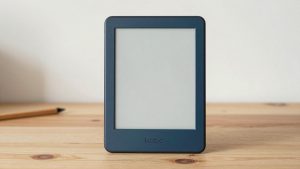
The basic Kindle is the smallest and lightest current Kindle, and its battery life is still impressive. Amazon rates it at up to six weeks per charge, which is shorter than the Paperwhite family but still far longer than any phone or tablet. Its 6-inch glare-free display is easy to hold one-handed, and the device slips into a jacket pocket or a small bag without a second thought. It has 16 GB of storage, USB-C charging, and a front light, though it lacks the warm light and waterproofing of the Paperwhite. For readers who value lightness and portability above all else, those trade-offs are easy to accept, and six weeks is still a long time between charges for a light or moderate reader.
This model suits first-time Kindle owners, readers who want the most portable e-reader, and anyone buying a second Kindle for a bag or a bedside table. It suits younger readers and anyone who finds larger e-readers tiring to hold. Readers who should skip it are heavy readers who want the longest possible battery life, readers who read in the bath or by the pool, and readers who want a warm light for late-night reading, all of whom will be happier with a Paperwhite.
Kindle Colorsoft (2024)
The Kindle Colorsoft is the best Kindle for battery life among color e-readers, rated at up to eight weeks per charge. Its 7-inch color e-ink display shows book covers, comics, and illustrated pages in color, while black-and-white text stays sharp and easy to read. It has the same warm light and waterproofing as the Paperwhite, 16 GB of storage, and USB-C charging. Color reading does cost battery life compared with the black-and-white Paperwhite, because color pages need more processing and more screen refreshes, but eight weeks is still a long time between charges.
This model suits readers who read comics, graphic novels, cookbooks, travel guides, and illustrated books, and who want color without giving up weeks of battery life. It suits parents who read picture books with children, and anyone whose library is full of color covers they want to see properly. Readers who should skip it are those who read mainly black-and-white novels, because the Paperwhite lasts longer and costs less for that use, and readers who need a pen for handwritten notes, who should consider the Scribe.
Kindle Scribe (2024)
The Kindle Scribe is the largest Kindle, with a 10.2-inch display and a pen for writing notes in the margins, annotating documents, and keeping a journal. Amazon rates it at up to twelve weeks per charge for reading, and up to three weeks when you write regularly with the pen. That split rating is honest: writing uses the screen and the processor far more than turning pages, so a reader who writes every day will charge more often than a reader who only reads. It has 16 GB of storage in its base version, a warm light, USB-C charging, and a premium pen that attaches magnetically to the side.
This model suits students, researchers, and professionals who read long documents and want to mark them up by hand, and readers who prefer a large screen for comfortable reading at home. It suits anyone who wants one device for reading and note-taking instead of carrying a separate notebook. Readers who should skip it are those who want a pocketable e-reader, because the Scribe is too large for a pocket, and travellers who want the lightest possible device. Heavy writers should also expect to charge every few weeks rather than every few months.
What to Check Before You Buy
Before you buy a Kindle for battery life, check the model year. A 2024 Kindle Paperwhite is faster and longer-lasting than a Paperwhite from several years earlier, and sellers sometimes list older models alongside new ones. Check the storage size, the presence of a warm light, and whether the model is waterproof if you read near water. Check whether you need color or a pen, because those features change battery life and change which model fits you. Check the charging method you prefer: USB-C on every current model, plus wireless charging only on the Paperwhite Signature Edition. Check the return policy of the retailer you buy from, so you can test the screen and the feel in your hands. Finally, check your own reading habits honestly. A heavy reader who finishes a book every two days will charge any Kindle often, while a light reader will find that even the basic Kindle lasts for weeks, so buy the model that fits how you read, not just the one with the biggest headline number.
Frequently Asked Questions
Which Kindle has the longest battery life?
The Kindle Paperwhite, the Kindle Paperwhite Signature Edition, and the Kindle Scribe share the longest reading battery-life rating among current Kindles, at up to twelve weeks per charge under Amazon standard reading conditions. The Scribe only reaches that figure for reading; regular writing with the pen shortens it. For most readers, the standard Paperwhite is the best choice for longest battery life, because it reaches the top rating in the smallest and most portable form that does.
How long does a Kindle battery really last in everyday use?
Real-world battery life depends on how much you read, how bright your front light is, and whether wireless is switched on. A light reader who reads for twenty or thirty minutes a day with airplane mode on may get close to the headline figure. A heavy reader who reads for several hours a day at high brightness will charge every one to three weeks on the same model. Audiobook listening shortens battery life far more than reading, because Bluetooth audio and continuous playback draw much more power than turning e-ink pages.
Does airplane mode really help Kindle battery life?
Yes, airplane mode helps noticeably. With Wi-Fi and Bluetooth off, the Kindle stops checking for new books, syncing your position, and downloading updates in the background, so the battery drains only when you turn pages and use the front light. Many readers keep airplane mode on while they read and switch wireless on only to download a new book or sync a finished one. That habit alone can add days or weeks between charges.
Why does my Kindle battery drain faster than expected?
The most common causes are a bright front light, wireless left on, frequent audiobook listening, and an old battery that has lost capacity over years of use. A Kindle that is indexing a large number of newly added books will also drain faster for a day or two, as will a device that is searching for a weak Wi-Fi signal. Restarting the device, turning on airplane mode, and lowering the front light usually restore normal battery life. If a Kindle that once lasted weeks now lasts only days after a full charge, the battery may have reached the end of its healthy life.
Is the Kindle Colorsoft battery life much worse than the Paperwhite?
It is shorter, but not dramatically so. The Colorsoft is rated at up to eight weeks per charge, compared with up to twelve weeks for the Paperwhite, because color pages need more processing and more screen refreshes. The gap is smallest when you read black-and-white novels and largest when you read color comics and illustrated books every day. If color matters to you, eight weeks is still a long time between charges, and it is far longer than any tablet used for the same reading.
Bottom Line
The best Kindle battery life belongs to the Paperwhite family. The standard Kindle Paperwhite gives most readers the longest time between charges, the most comfortable screen size, and the best balance of features for the money, while the Signature Edition adds wireless charging and extra storage around the same twelve-week rating. The basic Kindle is the lightest choice and still lasts up to six weeks, the Colorsoft is the best color choice at up to eight weeks, and the Scribe matches the Paperwhite for reading while adding a large screen and a pen. Choose the model that fits how and what you read, switch on airplane mode while you read, keep the front light moderate, and any current Kindle will keep you reading for weeks between charges.
Disclosure: As an Amazon Associate, we may earn from qualifying purchases.
More from Amazon
Programs that pair well with the guide above. Offers and eligibility are set by Amazon and may change.
Read from a large library of eBooks and audiobooks on any device. Check Amazon for current plans.
Explore Kindle UnlimitedAudiobooks and podcasts to listen to on the go. Eligible new members can start with a free trial.
Try Audible freeFree shipping on eligible items, Prime Video and more. Eligible new members can start with a free trial.
Start a Prime free trialAd-free music streaming. Eligible new subscribers can start with a free trial.
Try Music Unlimited freeAs an Amazon Associate we earn from qualifying purchases.