Key takeaways
- Swivel cap design eliminates lost-cap risk
- Keychain integration makes it genuinely portable
- USB 2.0 speed feels slow for anything beyond small documents
Someone needs to move a forty-page presentation to a conference laptop that has no internet access, or hand off tax documents to a family member who does not use cloud storage, or load a music collection for a road trip where cellular signal is unreliable. These are the moments that make a flash drive worth owning. The problem a buyer is solving is not about speed or capacity ceilings — sixteen gigabytes is plenty for documents, photos, and short videos. The problem is whether the drive works the first time you plug it in, survives being tossed in a bag, and costs less than a coffee shop drink when you need ten of them.
What separates a good budget flash drive from a bad one in this capacity tier comes down to a few things. Physical construction matters because a cheap plastic shell that cracks after two weeks of pocket carry is a liability no matter how low the price. USB 2.0 versus USB 3.0 becomes noticeable when you are filling the drive or pulling files off it repeatedly. And for multi-pack buyers, the real question is whether bulk pricing comes at the cost of inconsistent quality across units — because a drive that fails silently on the third use is worse than one that never worked.
Our top picks





As an Amazon Associate we earn from qualifying purchases at no extra cost to you.
Quick Picks
| Product | Best for | Price |
|---|---|---|
| IMEASON Swivel 16GB USB 2.0 | Single-use personal carry with keychain | $8.99 |
| Enfain 16GB 10 Pack | Corporate giveaways and team handouts | $35.99 |
| SANDISK Cruzer Blade | Brand-name reliability on a tight budget | $11.89 |
| Generic 16GB 10 Pack with LED | Classroom or event distribution with lanyards | $32.88 |
| ENUODA 1 Pack | Lowest-cost single drive for occasional use | $8.09 |
| SamData 16GB 2 Pack | Pairing one drive for work and one for personal files | $14.99 |
| MAKACTUA 10 Pack Multi-Color | Color-coded file separation across a small team | $35.99 |
| SanDisk Glide 16GB 10 Pack | Bulk USB 3.0 transfers for repeated use | $90.76 |
How We Picked
Three criteria drove our shortlist. First, published connector speed — USB 2.0 is fine for occasional document transfers but USB 3.0 matters if you fill and empty the drive multiple times per week. Second, physical form factor and durability indicators like swivel caps, metal housings, or keychain integration that affect whether the drive survives daily carry. Third, value per unit in multi-pack scenarios, because the most common use case for sixteen-gigabyte drives is bulk distribution, and the per-drive price gap between packs can swing by several dollars. We also weighed owner feedback on connector looseness and write-speed consistency across batches.
The 8 Best 16Gb Flash Drive in 2026
IMEASON Swivel Design 16GB USB 2.0
This is for the person who wants a single drive clipped to their keys and forgotten about until needed. The swivel cap protects the connector without a separate cap you will lose in a desk drawer, and the integrated keychain ring means it travels with you rather than sitting in a bag pocket. Owner feedback highlights the compact form and the fact that it reads on older machines without driver issues. The USB 2.0 interface limits throughput on large file transfers, and the FAT32 default format means single files above four gigabytes will not write — relevant if you ever plan to store video files.
- Swivel cap design eliminates lost-cap risk
- Keychain integration makes it genuinely portable
- USB 2.0 speed feels slow for anything beyond small documents
Skip this if you need to move files larger than four gigabytes or if you want USB 3.0 throughput.
Enfain 16GB 10 Pack
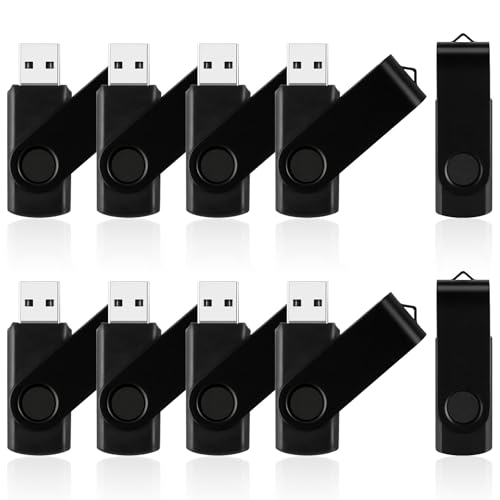
Built specifically for the organizer handing drives to attendees at a conference or distributing files across a department. The ten-pack format with included labels for writing names or content descriptions removes the step of sourcing your own markers or stickers. Gift-ready packaging is a small but real advantage when the drives go to clients. The per-drive cost of roughly $3.60 is competitive for a branded-looking bulk product. Drawbacks: USB 2.0 speed means filling ten drives takes patience, and the black-only color option offers no visual differentiation if you are handing out files by category.
- Pre-printed labels included save setup time
- Gift-ready packaging for client-facing events
- No color variety for content categorization
Skip this if you need drives that look premium on a desk or if your use case requires USB 3.0.
SANDISK Cruzer Blade
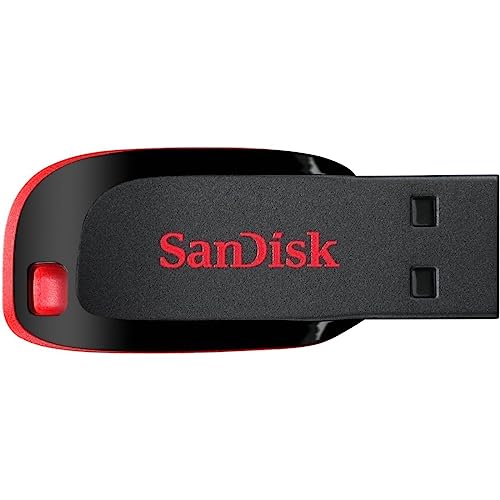
The Cruzer Blade is the default answer when someone asks for a trustworthy single drive without overthinking it. SanDisk’s long track record means firmware reliability and connector quality are more consistent across production batches than no-name alternatives. The flat, low-profile form factor slides into tight laptop ports without stressing the connector. At $11.89 it costs a few dollars more than generic singles, and you are paying for that brand assurance. Speed is USB 2.0, so it is not a performance play — it is a reliability play for someone who wants to plug it in and move on.
- Consistent quality control from an established manufacturer
- Low-profile design suits laptops with recessed USB ports
- Priced above generic singles for equivalent specs
Skip this if you need multiple drives or USB 3.0 performance.
16GB Flash Drive 10 Pack with LED Indicator
The LED indicator is the feature that sets this ten-pack apart from similar bulk options. A visible activity light tells you when data is actively transferring and prevents the dangerous habit of yanking the drive before a write completes — a common cause of file corruption in bulk-distribution scenarios. Lanyards are included, which helps at events where drives hang from conference badges. At $3.29 per unit the pricing is aggressive for a pack with this extra feature. Owner feedback is mixed on connector tightness, with some units looser than others across the batch.
- LED indicator prevents premature removal and data loss
- Included lanyards add event-ready utility at no extra cost
- Connector tightness varies across units in the same pack
Skip this if you are buying a single drive or if you need consistent write performance.
ENUODA 1 Pack
This is the cheapest single drive on our list at $8.09, and it exists for one reason: to be the drive you toss in a desk drawer and pull out when someone hands you a USB port and says “can you give me a copy.” The form factor is unremarkable, the specs are standard USB 2.0, and there is no swivel cap — just a traditional removable cover you will likely lose within a month. What you get is a functioning drive at the lowest price point, which is the entire value proposition.
- Lowest per-unit cost for a single drive purchase
- Works out of the box on any computer with a USB-A port
- Removable cap is easy to misplace, exposing the connector to dust
Skip this if you carry the drive daily or care about long-term durability.
SamData 16GB 2 Pack
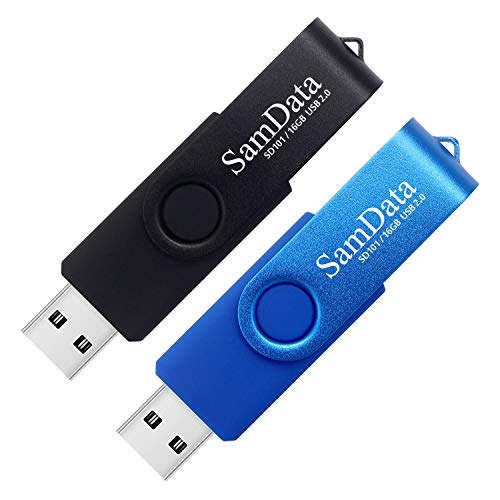
Two drives at $14.99 means roughly $7.50 per unit, and the two-color option (black and blue) lets you dedicate one to work files and one to personal data without risk of mixing them up. The LED light on both units is useful for confirming transfer status. This pack suits a freelancer or student who alternates between two machines and wants a dedicated drive for each. No swivel cap here either, and the USB 2.0 interface is the expected speed tier for this price.
- Two colors allow physical data separation without labels
- LED indicator on both units for transfer confirmation
- No protective swivel mechanism for the connector
Skip this if you need more than two drives or want the lowest per-unit cost in bulk.
MAKACTUA 10 Pack Multi-Color
Ten drives in ten distinct colors at $3.60 per unit is the most cost-effective way to color-code file categories for a small team or a classroom. Each color becomes a visual shorthand — red for invoices, blue for presentations, green for reference materials — eliminating the need for printed labels. The swivel cap design protects connectors across all ten units. This is a logistics tool more than a performance tool: USB 2.0, standard capacities, nothing exotic. The variety is the value, and it delivers.
- Ten distinct colors enable instant visual file categorization
- Swivel caps protect connectors on every unit
- All ten are USB 2.0, so bulk transfer workflows remain slow
Skip this if you need USB 3.0 speed or branded packaging for client distribution.
SanDisk 16GB Glide USB 3.0 10 Pack
The only USB 3.0 option on this list, and the only one in the Glide form factor with a retractable connector. At $9.08 per unit it is the most expensive pack by a wide margin, but that premium buys faster write and read speeds that become meaningful when you are filling multiple drives sequentially or pulling files off them frequently. The retractable mechanism eliminates cap loss entirely. SanDisk firmware reliability applies here as well. This is for someone who treats flash drives as working tools rather than throwaway distribution items.
- USB 3.0 interface delivers noticeably faster transfers
- Retractable connector design means no cap to lose
- Price per unit is more than double comparable USB 2.0 packs
Skip this if your use case is one-time file handoff or if per-unit cost is the primary constraint.
Buying Guide
USB 2.0 vs USB 3.0: When the Interface Actually Matters
USB 2.0 has a theoretical ceiling of 480 megabits per second, while USB 3.0 reaches 5 gigabits. In practice, with a sixteen-gigabyte drive, you will see the difference when transferring files over one gigabyte in size. If your workflow involves copying a folder of photos once a month, USB 2.0 is adequate and cheaper. If you fill and empty drives multiple times per day — say, as a photographer moving raw files to a client — the USB 3.0 premium pays for itself in time saved. The SanDisk Glide is the only option here that clears that threshold.
Connector Protection: Swivel, Retract, or Removable Cap
Three approaches exist on these drives. Swivel caps rotate the USB connector out of a housing, protecting it with a single moving part and no loose pieces. Retractable designs, like the SanDisk Glide, use a slider to extend and hide the connector. Removable caps are the most common budget approach and the one most likely to fail over time because the cap is a separate object you must store somewhere. For any drive you carry more than once a week, swivel or retract designs reduce the chance of dust ingress and connector damage. The ENUODA and SamData options use removable caps, which is an acceptable trade-off at their price points if the drive lives in a drawer.
Per-Unit Price in Bulk vs. Individual Purchases
When comparing packs, always divide the listed price by the quantity to find the true per-unit cost. The Enfain and MAKACTUA ten-packs both land around $3.60 per drive, but the Enfain includes labels and gift packaging while the MAKACTUA offers color variety. The generic ten-pack with LED sits lower at $3.29 per unit but has reported connector variance. If you need fewer than ten drives, the SamData two-pack at $7.50 per unit is more economical than buying individual SanDisk or IMEASON drives. Match the pack size to your actual distribution need rather than defaulting to ten simply because it is available.
Our Verdict
Our top pick is the SANDISK Cruzer Blade at $11.89 for anyone who needs one reliable drive without overthinking the purchase. The brand consistency and low-profile design make it the safest default for personal use.
Our budget pick is the ENUODA 1 Pack at $8.09 — it is the lowest-cost entry point that will actually perform its core job of storing and transferring files.
The condition under which another product wins: if your use case is bulk distribution to a team or event audience, the MAKACTUA ten-pack takes priority over everything here because the color-coding feature eliminates an entire labeling step that would otherwise cost time and money.
FAQ
Can I format a FAT32 drive to exFAT to store files over 4 GB?
Yes. Most Windows and macOS systems will let you reformat the drive to exFAT in under a minute, which removes the four-gigabyte file size limitation. Note that reformatting erases all existing data on the drive, so back up first if it already contains files.
Will a USB 2.0 drive work in a USB 3.0 port?
Yes, and the connection is fully backward compatible. The drive will operate at USB 2.0 speeds regardless of the port it is plugged into, so you will not gain performance by using a newer port with an older drive.
How many times can a flash drive be written to before it fails?
Consumer-grade NAND in budget drives is typically rated for thousands of write cycles per memory block. For document and photo storage with occasional writes, a drive should last several years. Heavy repeated rewriting — hundreds of files per day — will shorten that lifespan significantly.
Is 16GB enough for a presentation with embedded video?
A single embedded video file under four gigabytes will fit on a FAT32 drive without issue. If your presentation includes multiple video clips totaling more than four gigabytes, you will need to reformat to exFAT or split the media into separate folders before copying.